Play Dragon View Online Free for Super Nintendo.
Dragon View hits different when it boots instantly in your browser. Released in 1994 on the Super Nintendo, this retro classic from Kotobuki System is ready the second you press start — no downloads, no setup.
In 2019, the game was re-released through emulation for Windows. It uses the same pseudo-3D overworld system for which the series is most famous.
🎮 USB or Bluetooth controller? Plug it in, Once Detected Click Here to Open Your Controller Options
⭐ Premium members can click any key below to remap the controls. Go Premium
| Action | Keyboard | Controller |
|---|---|---|
| D-Pad Up | ↑ | D-Pad up |
| D-Pad Down | ↓ | D-Pad down |
| D-Pad Left | ← | D-Pad left |
| D-Pad Right | → | D-Pad right |
| B (bottom) | X | Bottom face |
| A (right) | Z | Right face |
| Y (left) | S | Left face |
| X (top) | A | Top face |
| L | Q | Left shoulder |
| R | E | Right shoulder |
| Start | Enter | Start |
| Select | V | Select |
⚠ Report this game not working
You’re playing the preview
Create a free account to unlock the full experience for :
- 💾 Save states — snapshot & resume anywhere
- 🎮 Full controller setup & custom key mapping
- ↩ Rewind, fullscreen & display options
You're in! Now go FULL PREMIUM
- 🏆 FREE Tournament Entry — quarterly comps with REAL PRIZES
- 💾 High-score saving — your runs on the boards, forever
- 🚫 ZERO ads — no preroll window, no banners, ever
- 🟢 Unlimited game play + the entire Premium vault
Show the world what Retro is really about.
First registered run claims the top spot. It won't stay easy for long.
Playing counts once you're signed in — register free in the player above.

The Story Behind Dragon View
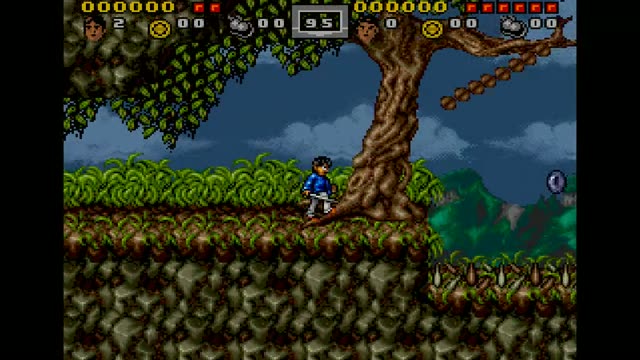
Dragon View is a side-scrolling role-playing beat 'em up for the Super Nintendo Entertainment System developed by Kotobuki System in November 1994 and published by Kemco in North America. Released in Japan as and otherwise known as Drakkhen II, it is meant to be a sequel to Drakkhen although it bears little resemblance to its predecessor. It uses the same pseudo-3D overworld system for which the series is most famous.
Other features of Dragon View are its side-view action role-playing game (RPG) hybrid gameplay (used when exploring more detailed areas such as towns and dungeons), its well translated first-person storyline, and its emphasis on player-driven undirected exploration. In 2019, the game was re-released through emulation for Windows. In 2022, a reproduction SNES cartridge was released by Limited Run Games.
How Dragon View Plays
First used by the original Amiga version of Drakkhen, it was later used in the PC and SNES ports. Even so, framerates can suffer as many sprites are sometimes present on a single screen. Since the top and bottom panels are completely static during overworld navigation, all hardware power is focused on rendering the first-person view.
It uses the same pseudo-3D overworld system for which the series is most famous. In 2019, the game was re-released through emulation for Windows. Released in Japan as and otherwise known as Drakkhen II, it is meant to be a sequel to Drakkhen although it bears little resemblance to its predecessor.
Why Players Still Load It Up
Dragon View is a side-scrolling role-playing beat 'em up for the Super Nintendo Entertainment System developed by Kotobuki System in November 1994 and published by Kemco in North America. Released in Japan as and otherwise known as Drakkhen II, it is meant to be a sequel to Drakkhen although it bears little resemblance to its predecessor. It uses the same pseudo-3D overworld system for which the series is most famous.
Other features of Dragon View are its side-view action role-playing game (RPG) hybrid gameplay (used when exploring more detailed areas such as towns and dungeons), its well translated first-person storyline, and its emphasis on player-driven undirected exploration. In 2019, the game was re-released through emulation for Windows. In 2022, a reproduction SNES cartridge was released by Limited Run Games.
Dragon View — Frequently Asked Questions
Can I save my progress in Dragon View?
Yes. Create a free account and the player unlocks save states — snapshot your progress at any moment and resume later on any device.
How many players does Dragon View support?
This browser version of Dragon View handles 1 player(s).
Can I play Dragon View online for free?
Yes — Dragon View runs directly in your browser on this page. There is nothing to download or install; the game boots in the player above.
Do I need a controller to play Dragon View?
A gamepad is optional. The keyboard mapping shown on this page works immediately, and plugging in a USB or Bluetooth controller switches the player over on its own.